Santiago Bustelo
Interaction Designer and Creator of FlowStyler
I created FlowStyler because I needed to publish long posts on LinkedIn with titles, italics, and some visual hierarchy. The platform offered none of that.
The tools available for this, like "Unicode font generators", felt clumsy and cumbersome. I kept fighting the tool and the text instead of simply writing.
I asked myself: what if we applied the patterns of a real text editor to the problem of Unicode styles?
And that’s how I ended up revisiting a path I started 40 years ago.
The ZX Spectrum years
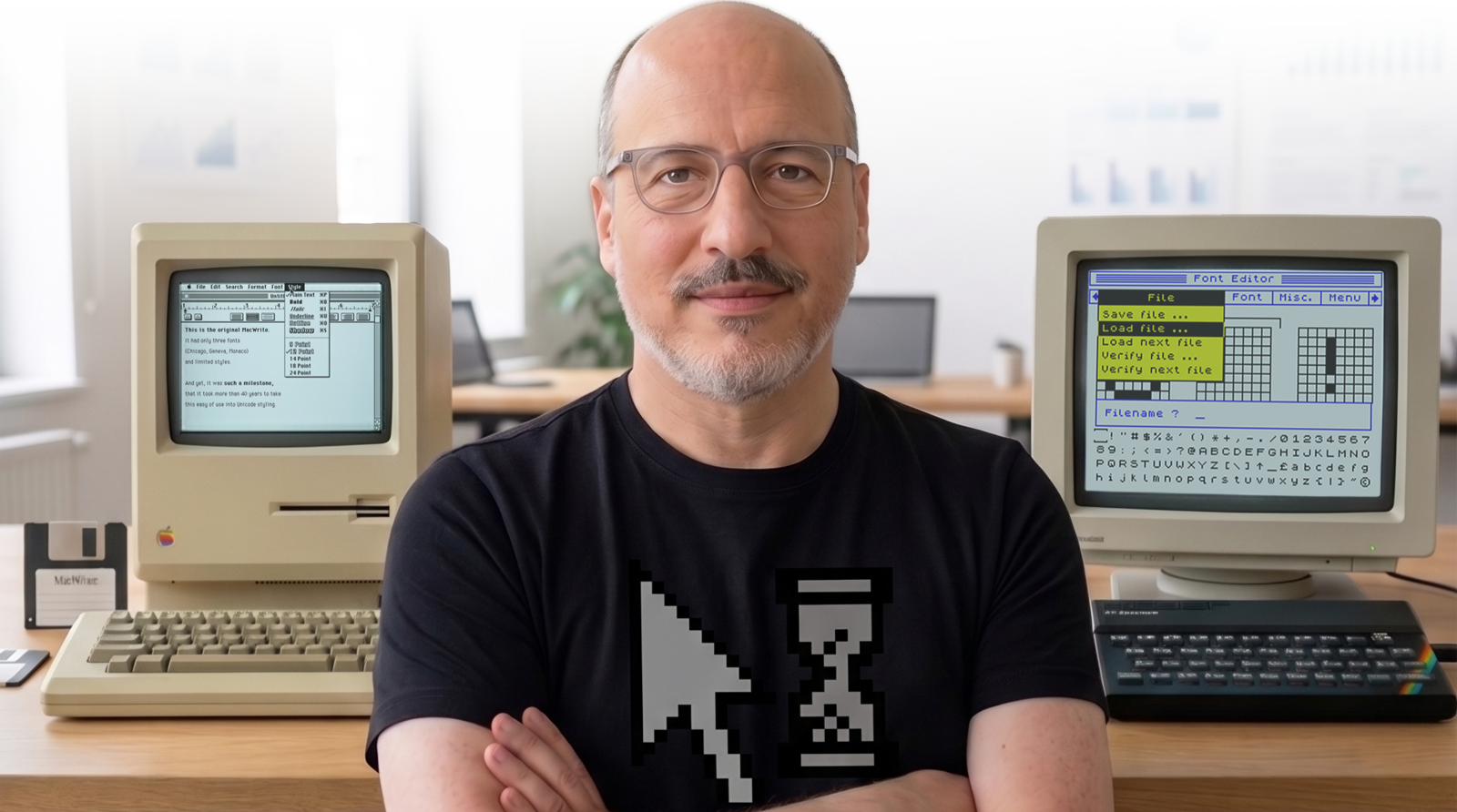
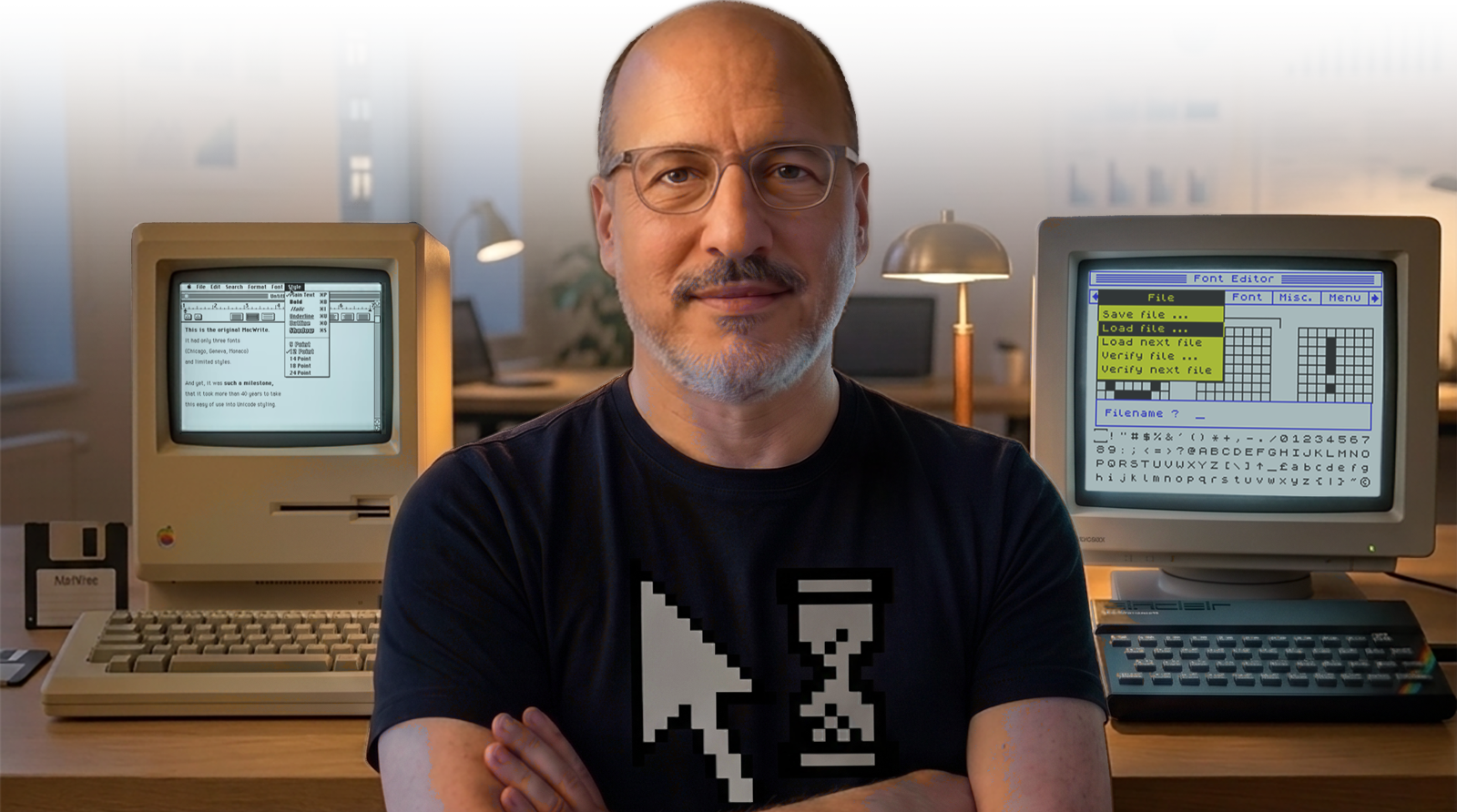
In 1986, the Timex Sinclair 1000 (16 KB of RAM, no graphics) I had started programming on three years earlier had become too small for me. Since I was already trained in Sinclair Basic and Z80 Assembler, the logical step was to move on to a CZ‑Spectrum, a national clone of the ZX Spectrum: 48 KB of RAM, 256 × 192 px resolution, and color!
Around that time, I came across a drawing program called "Art Studio". It offered a graphical interface and even an undo function! (the only Spectrum program that had it).
I spent hundreds of hours with this program drawing screens, as well as characters and scenes for video games I planned to develop. Art Studio was a clone of MacPaint, but I didn't know that. I didn't know what a Mac was either. I had never even seen a graphical interface. But the menu system and the "undo" function seemed brilliant to me, and I wondered what Tasword, the word processor I used on the Spectrum, would be like if it had menus and an undo function.
Shortly after, at a computer fair, I finally met a Mac. There I saw a system where everything worked the way I wanted. I told myself that when I grew up, I was going to dedicate myself to making things like that.
I said many things as a kid, but I kept that promise.
Fonts in 8 × 8 pixels
The standard ZX Spectrum font was very inelegant for texts. I wanted my documents to have the quality of a printed text, or at least of a typewriter.
Tasword used the system font, which was quite ugly. So I got to work:
- Art Studio had a font editor.
- With a couple of POKEs, Art Studio's fonts could work in the word processor.
- I started copying and adapting pixel by pixel, on the 8 × 8 grid the Spectrum offered, different fonts from the type catalogs my mother had (she worked in advertising back then, when ads were done by hand and with photomechanics).
Since the fonts I could create with Art Studio were monospaced, the one that ended up working best for texts was an adaptation of American Typewriter. On top of that, I added assembler routines to generate bold and italic versions (styles that could be combined with each other), plus some more essential utilities, like marks for cutting the continuous paper of the thermal micro-printer. The result was quite acceptable.
I submitted some Literature practical assignments with my modified version of Tasword. While everyone else brought notebook sheets, I handed in A5-sized paper slips. I was quite proud of it.
Building a WYSIWYG editor from scratch
Let's fast forward to 2005. By then, I had already graduated as a graphic designer from FADU‑UBA. I chose that career because, to create products like Art Studio, I was interested in both programming and design. As a self-taught programmer, I knew that following that path alone, I could be an average coder. But to learn how to design, I needed mentors. And the only way to get that training was the workshop experience that only a university could provide.
In 2005, the Center of Subsurface Modeling at the University of Texas at Austin commissioned us to develop what we now know as a CMS. The available options at the time were very limited. We had already developed a platform that covered what they needed.
The innovation I incorporated was using the nascent WYSIWYG technology in a web editor, instead of HTML tags or BBCode. Existing editors were very complex, full of patches for the different versions of Internet Explorer… a browser our client didn't use. This allowed me to build the HTML WYSIWYG editor we needed from scratch. The hardest part was tackling the inconsistencies introduced by copy-pasting from Word and the ghost tags from early Firefox versions.
I spent about three months writing regular expressions; I know that for many, that is the closest thing to a biblical punishment. But just as some people like puzzles, normalizing tags with a /<span\b(?=[^>]*\bbold\b)(?=[^>]*\bitalic\b)[^>]*>(.*?)<\/span>/is was actually quite entertaining for me.
My vision was to integrate all the tools within the editor, somewhat similar to what we see today with block editors. It was ambitious for that time. But the version we were able to build, pushing the limits of the browsers of that era, was infinitely better than manually entering tags.
Reinventing the word processor, 40 years later
About 20 more years passed. By the time I write these lines, I have already accumulated over 1000 design and development projects.
In early 2026, fed up with the masonry work involved in copying and pasting text from Unicode generators to give hierarchy to my LinkedIn posts, I started researching whether a better way existed. And while solving that problem, I realized I had been preparing for 40 years to do this.
The solution was to take the logic of a real word processor (where writing, formatting, and correcting are free actions that don't impose a strict order on you) and apply it to Unicode styles.
In other words, build a clone of MacWrite: the thing I dreamed of creating back in the 80s, without even knowing it existed.
I put together a quick prototype that solved my problem. I wondered if it made sense to turn it into a side project so others could use it: the answer was yes. Building it and making it public was worth it. Will it be a big business? Will it at least pay for the hours invested? Who knows. That was never the question.
I used my own tool every day and kept refining every detail. The goal was to detect every friction point and eliminate it. Because when a tool forces you to work in a specific order (and if you skip that order, you lose your work or have to redo everything), the interaction model is constraining you. My premise was exactly the opposite: that the tool should adapt to how I write, not the other way around.
The first word processor for Unicode styles
From this entire process, the distinctive features of FlowStyler emerged:
- Live Styles: the editor infers the style where you place the cursor, so that correcting or continuing to write doesn't break your flow. You stop fighting the tool and can iterate in peace.
- Combinable Styles: in supported cases, you can use bold, italic, underline, and also strikethrough. All together, without one style overriding the other.
- Adjust Uppercase/lowercase: while you're editing, you can adjust case without losing the styles you've already applied.
- Advanced Lists: bullets, numbered lists, roman numerals, alphabetical, circled Unicode numbers, and squared letters. And most importantly: you can edit them, sort them, and renumber them without leaving the app or touching Word or Excel.
- Real-time character counter, always in sight as you write.
More than a list of features, these are the distinctive attributes of a category that didn't exist before: the first word processor for Unicode styles.
40 years ago, I thought that when I grew up, I would like to be an inventor. I believe that if my past self met me now, he would be very happy.
Today, I am the UX Director at Kambrica, a consultant and mentor in UX, strategy, and Product. You can find me at bustelo.com.ar or reach out via LinkedIn.
})